The finance console and booking embed
The console is where finance works with the ledger day to day. It opens from an app page inside Salesforce (no separate login — the session is minted from the Salesforce context) or from a direct link, and every view leads with the references your teams actually quote: the booking number, the trip name, and readable record labels. Salesforce ids stay one hover away as tooltips.
Transactions
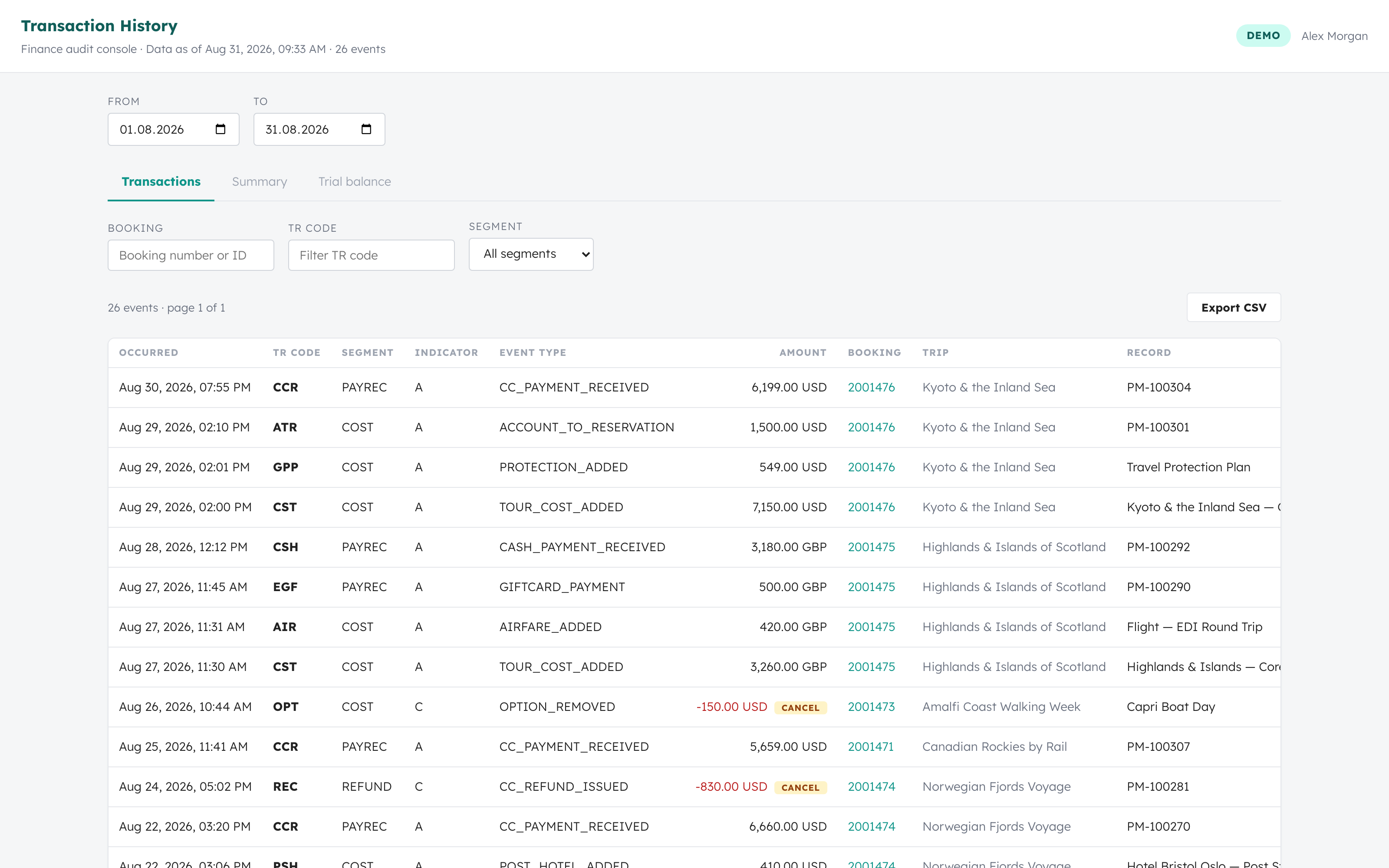
The full event ledger, newest first, with date-range, booking, TR-code, and segment filters. The booking filter accepts a booking number or a Salesforce id. Every row links to its booking's audit trail, and cancellations carry a visible cancel badge. Export the filtered set as CSV at any time — exports are never silently truncated.
Booking audit trail
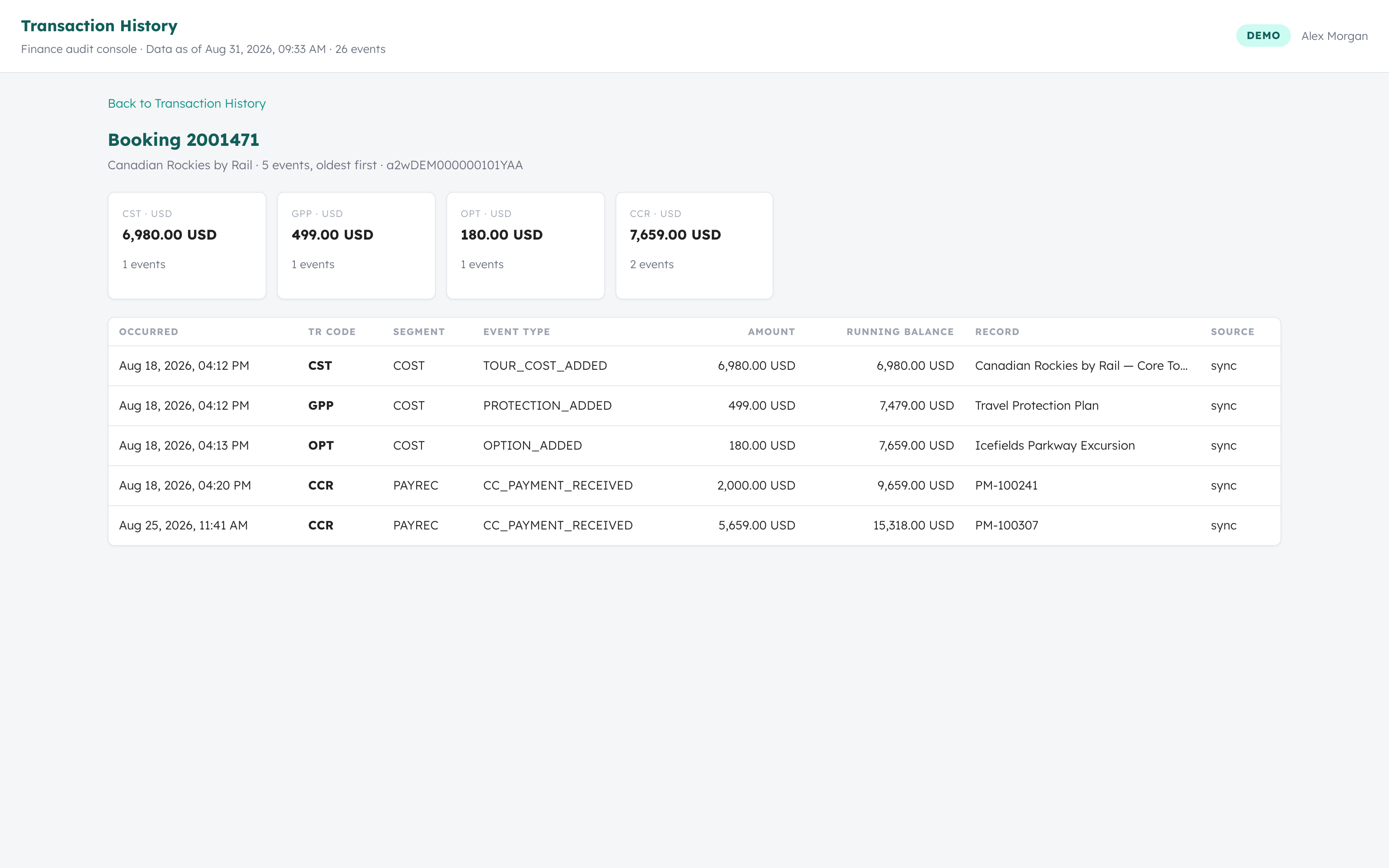
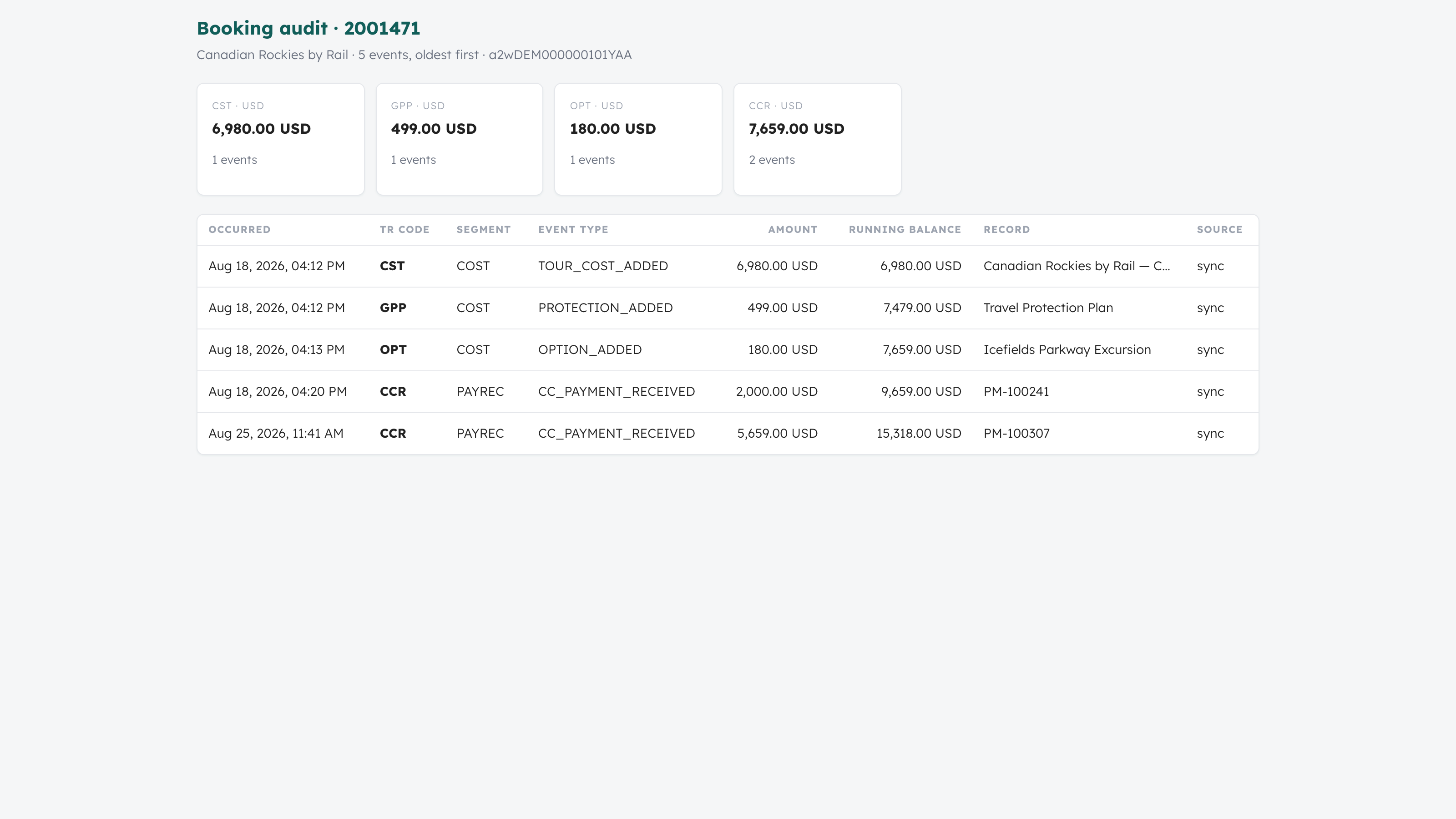
Clicking any booking opens its complete financial story: per-TR-code totals at the top, then every event oldest-first with a running balance — the view an auditor or a guest-services dispute needs.
Summary
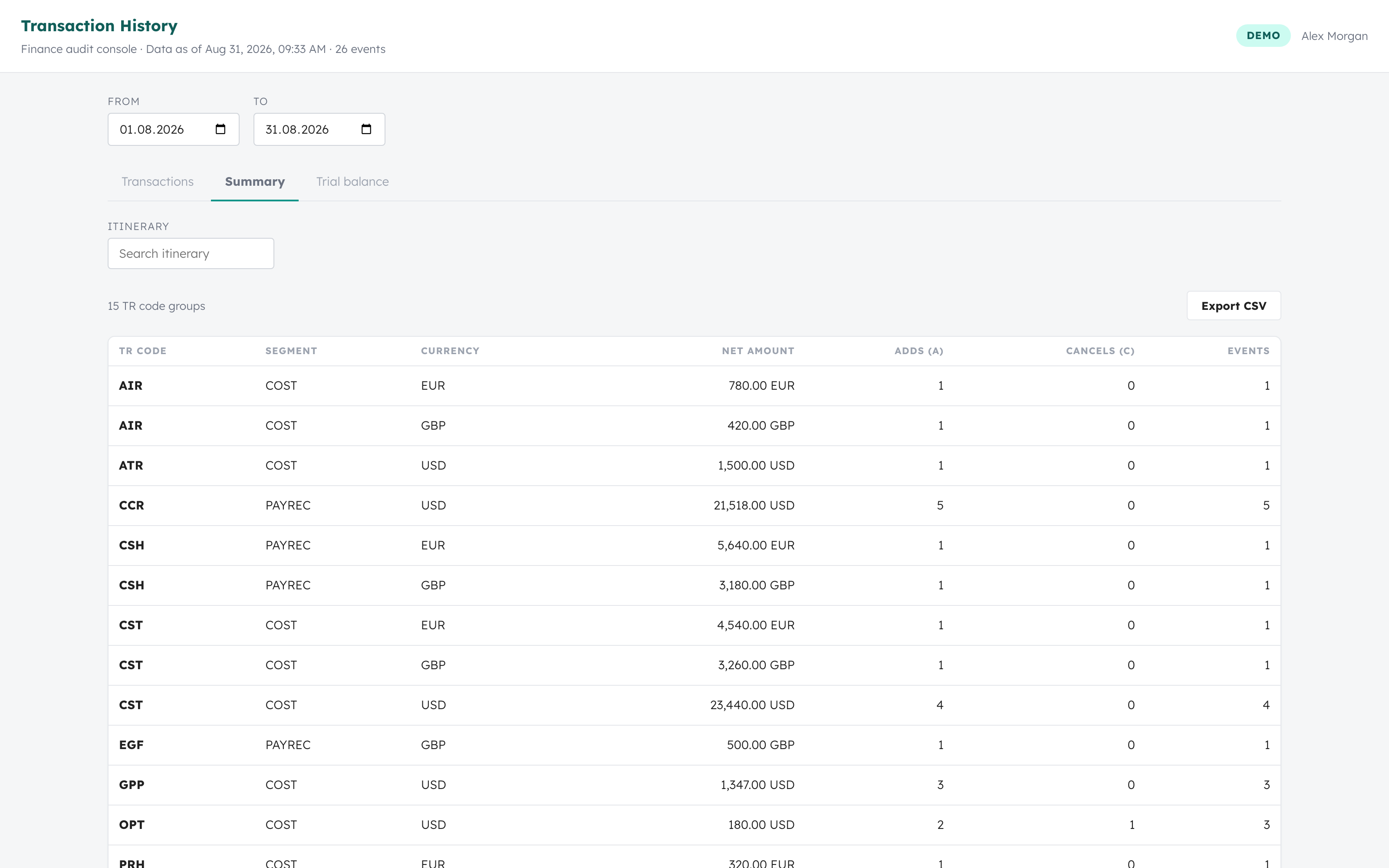
Net amounts grouped by TR code, segment, and currency, with add and cancel counts — the view to reconcile against a legacy system's transaction report or a period close.
Trial balance
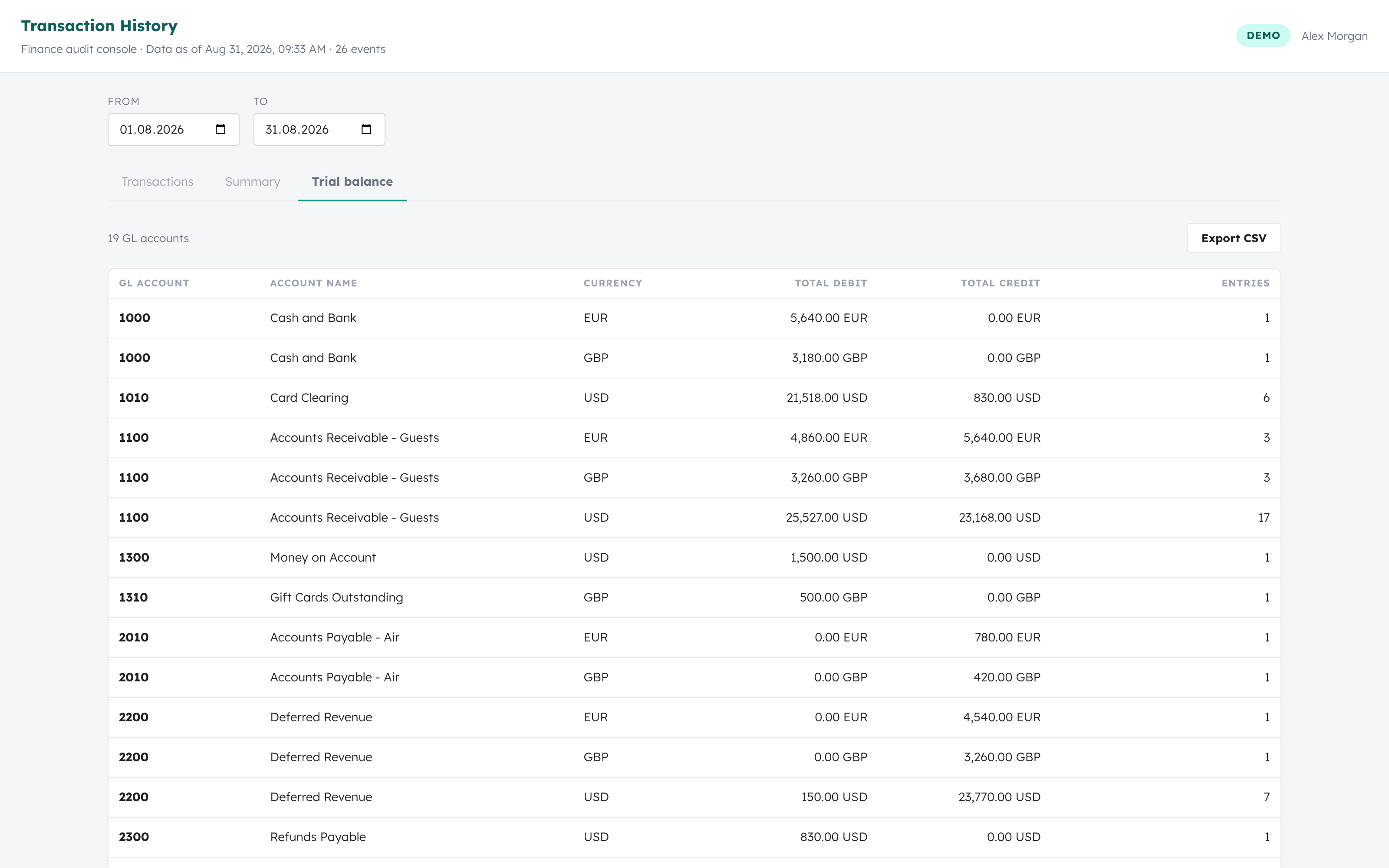
Total debits and credits per GL account and currency, derived from the double-entry journal. Multi-currency orgs get one row per account and currency — nothing is converted or merged.
SQL queries
For finance analysts who think in SQL, the Query tab runs real, analyst-written SQL against two relations that are already scoped to your data:
| Relation | Columns |
|---|---|
events | occurred_at, tr_code, segment, indicator, event_type, amount, currency, booking_number, trip, record_label, record_id, booking_id, source, received_at, event_id |
gl_entries | entry_date, gl_account_code, gl_account_name, debit, credit, currency, tr_code, event_type, description, status, booking_id, record_id, event_id |
Queries are standard PostgreSQL SELECT statements: joins between the two relations, aggregates and GROUP BY, window functions, CTEs, and date_trunc roll-ups all work within the limits below. Example queries are one click away, results export to CSV, and Cmd+Enter runs the editor.
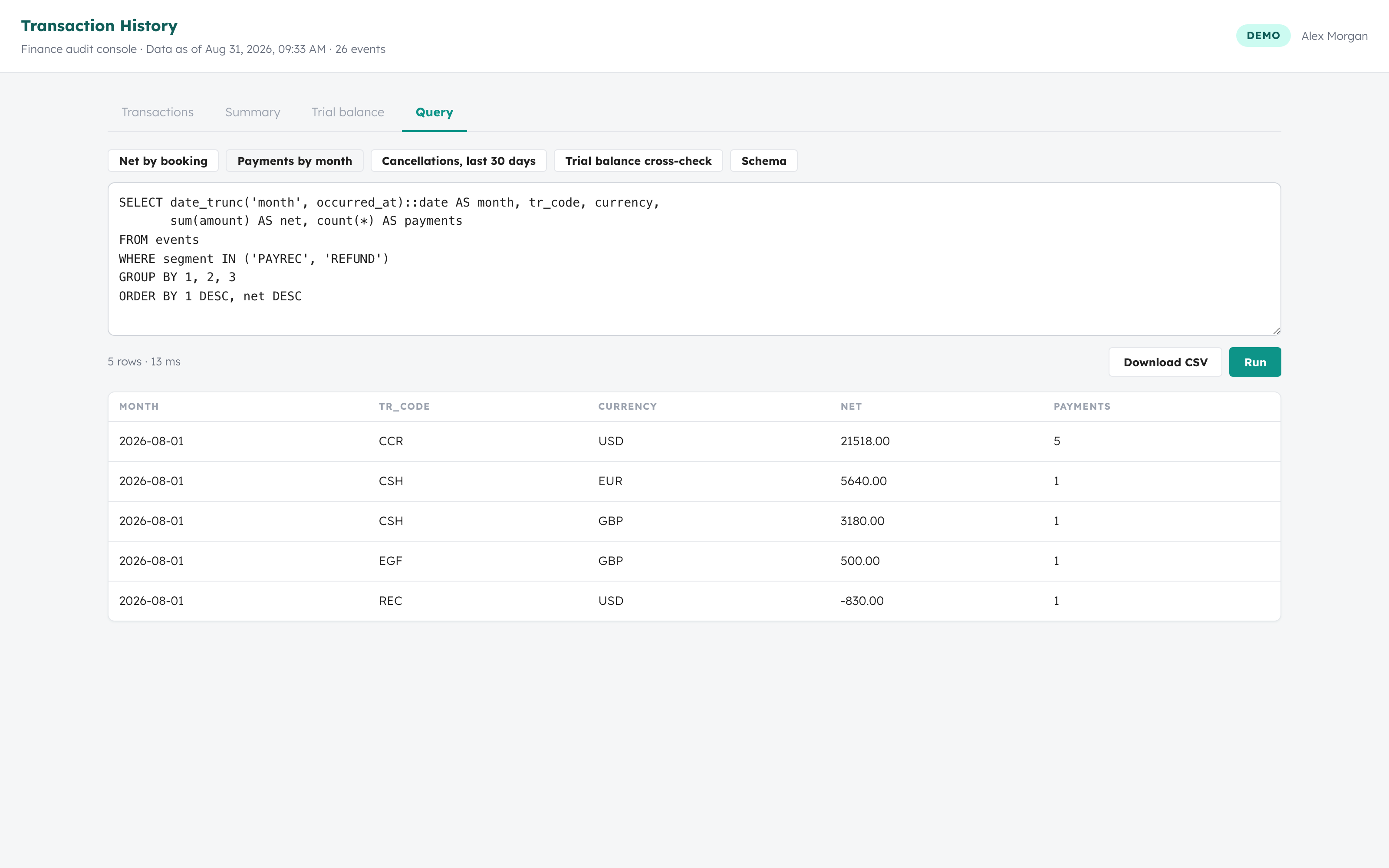
-- Payments and refunds by month, code, and currency
SELECT date_trunc('month', occurred_at)::date AS month, tr_code, currency,
       sum(amount) AS net, count(*) AS payments
FROM events
WHERE segment IN ('PAYREC', 'REFUND')
GROUP BY 1, 2, 3
ORDER BY 1 DESC, net DESC;
The sandbox is enforced by the database, not the text box: each query runs read-only under a dedicated database role whose only visible relations are the two views above, created per request with your tenant fixed server-side. Queries are limited to a single SELECT statement, 10 seconds of runtime, and 5,000 result rows (the console tells you when results were capped). Query access follows the session: full-console sessions only — the booking-page embed has no query surface.
The booking-page embed
The same audit trail is available as a component on the booking record page in Salesforce, so agents never leave the record they are working. The embedded session is scoped to that booking — it cannot browse the rest of the ledger.
Sessions and access
Access rides on Salesforce: a Lightning component resolves your org to your tenant and requests a short-lived (60-minute) session from the Edge launch endpoint. The tenant is resolved server-side from the org id — it is never taken from the request — and only orgs registered in your tenant configuration can mint sessions. Record-page sessions are booking-scoped; app-page sessions open the full console.